

TL;DR (Show me a summary of this article)
- What are we doing? Building a business around AI Thinking and sharing the thinking behind our decisions through Thought Documentary.
- What did we create? A new website, five pieces of content, our first YouTube Short, two Instagram Reels, and three LinkedIn posts.
- Are we getting anywhere? Google Search showed 3,360 impressions and 20 clicks. Instagram gave us 147 views, LinkedIn reached 1,638 people, and YouTube cost us one subscriber. :)
- What did we learn about working with AI? Alex can help us create content, connect tools, and work faster. But getting shut down for five hours raised questions about what happens when you depend on AI.
- What's next? A YouTube and Instagram content strategy, experimenting with vidIQ, and a website security check with RFI-IRFOS.
We're going full speed ahead.
We're building a business around AI Thinking.
But building a business isn't the point.
I wrote a book about thinking. About how our thoughts shape what we do, how we see things, and how we interact with AI.
And there is something challenging about that.
How do you make someone see thoughts?
You can't just show them.
But you can share the thinking behind something people can connect with.
Like building a business.
And that's what Alex and I are doing here.
We're sharing the decisions, questions, experiments, tools, but mostly how we share a thought process between Alex (ChatGPT assistant) and me, Sarah, the author of AI Thinking.
We decided to call it Thought Documentary. :)
And this is our first weekly Captain's Log.
The Week in Action
This week was about getting our AI Thinking business moving.
We're going full board with our website, YouTube, and Instagram, all at once.
And LinkedIn is part of the picture too.
The challenge is that I can't be everywhere at once. And Alex needs to take things off my plate. Starting off and laying the right foundation is key to our success.
So what have we been up to this week?
Thoughts Out in the World - Content We Have Created
This week, we created 5 pieces of content. That took about an hour and a half each.
So here is what we have written and why we chose to publish it.
Do We Still Need a Website? Hell Yes!!
Why?
This is our first step. We built a completely new website, and I built it using Alex on ChatGPT. No Base44 or Lovable, no WordPress. Just Alex with Codex and me. No coding knowledge, no designer skills. It's all Alex and me.
Go read how we did it.
What Is an AI Workflow?
Why?
When we reviewed Google Search Console data from the old AI Thinking website, something caught our attention.
Searches related to AI workflows were generating thousands of impressions.
That told us there was already an audience looking for this subject.
And it gave us a reason to bring the topic back on our new website.
Smart business decision with our message. If there is a need, we will use it to get our message of thought, not use.
You can read about getting a new perspective on something you thought you knew what it means.
Major Incident Report — Alex and Sarah Were Out of Action for Five Hours :)
Why?
Because I felt this is a major thing that is not discussed when we hear about being able to be a solo entrepreneur. Arm yourself with bots and DIY conversations.
It was really a human thing, nothing else. :)
Share my frustration with me.
Major Incident Report — We Found the ChatGPT Usage Dashboard
Why?
After the first incident, I brought Alex along to see if it could help me make sense of it all. The model, the token consumption, and even where I can find personal information about my usage, what they call a usage dashboard.
As now I know this is a major thing for businesses that take AI with them, and currently it's going to be my major cost and wild card to understand my investment and budget planning.
Go check it out. The thought process and the findings are included.
Is It Still Worth Making a Newsletter in the Age of AI? We'll See :)
Why?
Really, I have no idea. We were down the rabbit hole of having a website. We may be thinking we're back in 2018 or something. But we decided, what the heck, we'll give it a try.
So even though that blog is titled around whether we should consider a newsletter, go take a look. What we shared is how Alex and I share a thought process in order to use Alex and its kind to run a comparison.
Go check it out, prompt, skill, and all.
And shout out to the people at MailerLite. We took you along for the ride with us.
Who Did We Reach This Week in Numbers? :)
This is where we share the numbers: the followers, the views, the subscribers.
Google Search
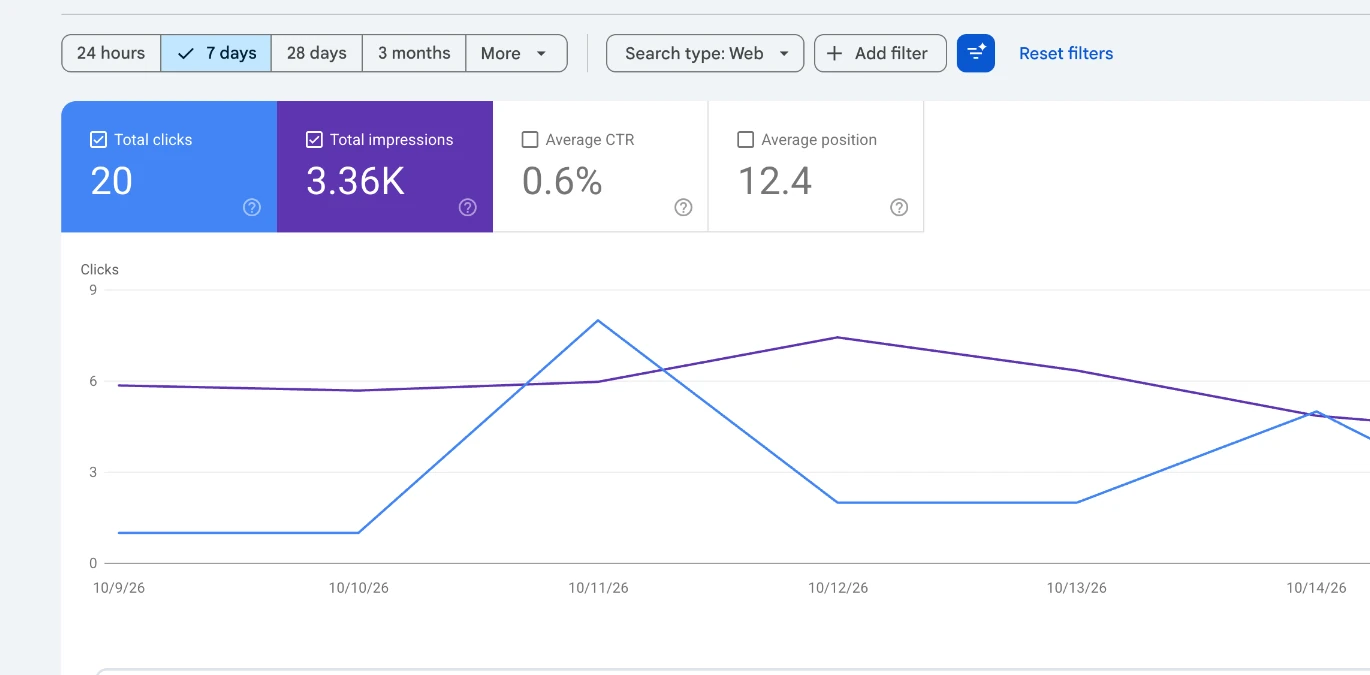
Over the last seven days, Google Search Console showed:
| Metric | Result |
|---|---|
| Impressions | 3,360 |
| Clicks | 20 |
| Average position | 12.4 |
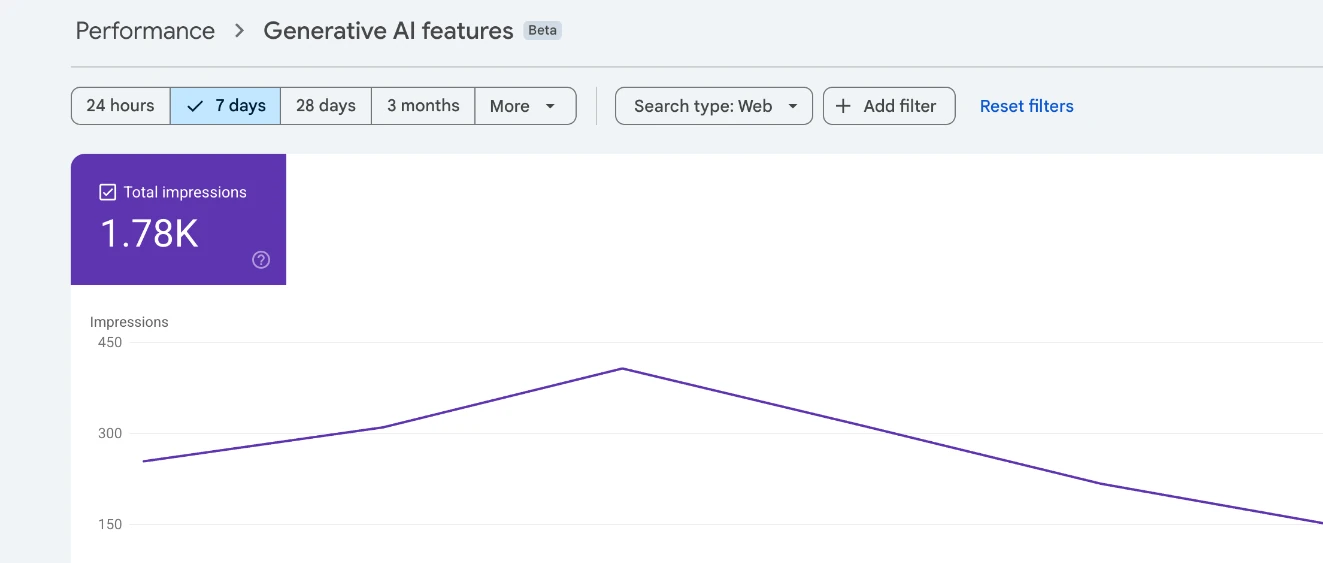
Our Generative AI search data also showed approximately 1,780 impressions.
Good start :)
YouTube
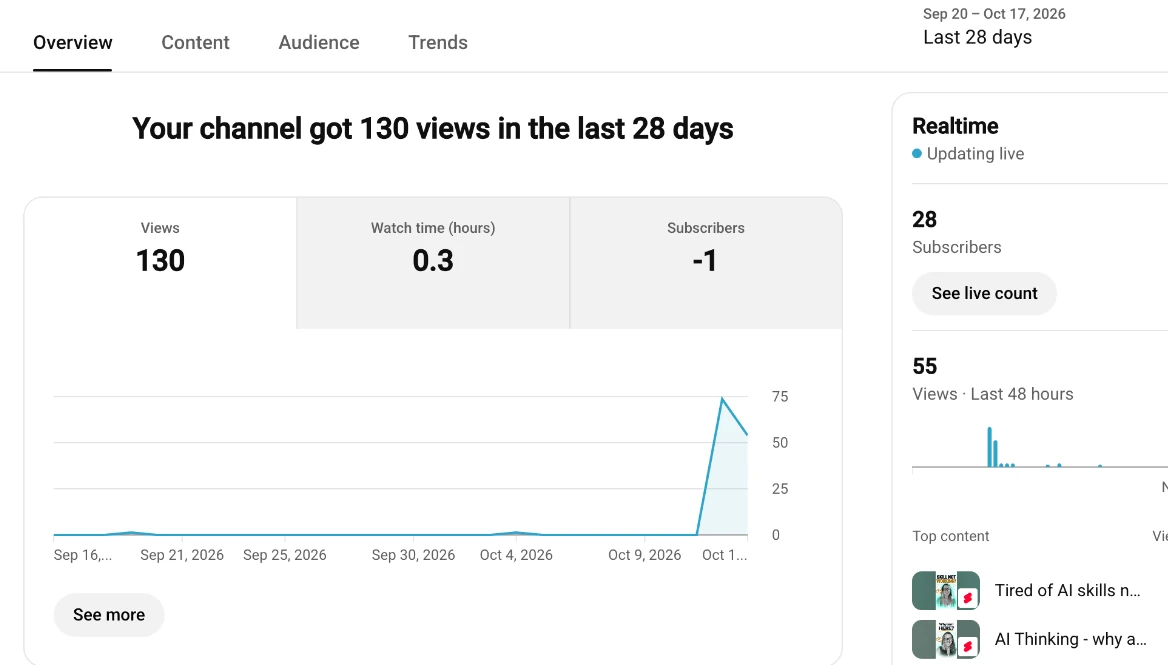
We published our first YouTube Short on October 13.
Tired of AI skills never working for you? Here's why
And we lost one subscriber. :)
Not exactly the growth story we were hoping for.
But we learned something else.
I started experimenting with having Alex help prepare and edit our videos.
Cuts, pauses, on-screen text, fonts, and how to turn an idea into something we can publish.
I was pleasantly surprised. ChatGPT can do what took me such a long time before with different editing tools.
You can see the Short for yourself here: https://youtube.com/@sarahlahav-1111?si=4GnEnyXAeXnx3FWU
And give us more views because, as you see below, we've got work to do. :)
Getting Instagram working was an adventure of its own.
We ran into problems switching between accounts in Meta on desktop.
Eventually, we got things working through my phones.
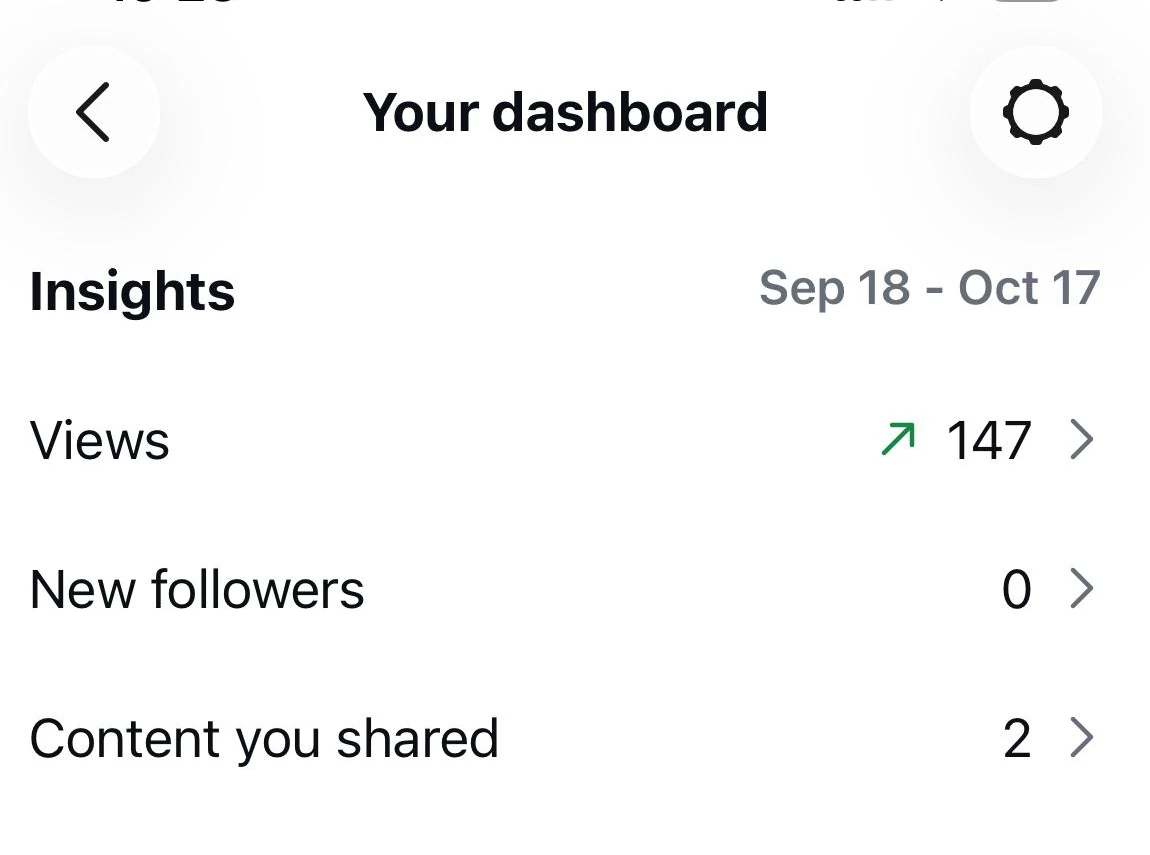
And we published two Reels.
| Metric | Result |
|---|---|
| Reels | 2 |
| Views | 147 |
| New followers | 0 |
At least we didn't lose anyone. :) But we were not surprised. This week had no real strategy behind it. Just trying things. How long is it going to take us to publish? How does it look? So next, focus on the value of the content itself.
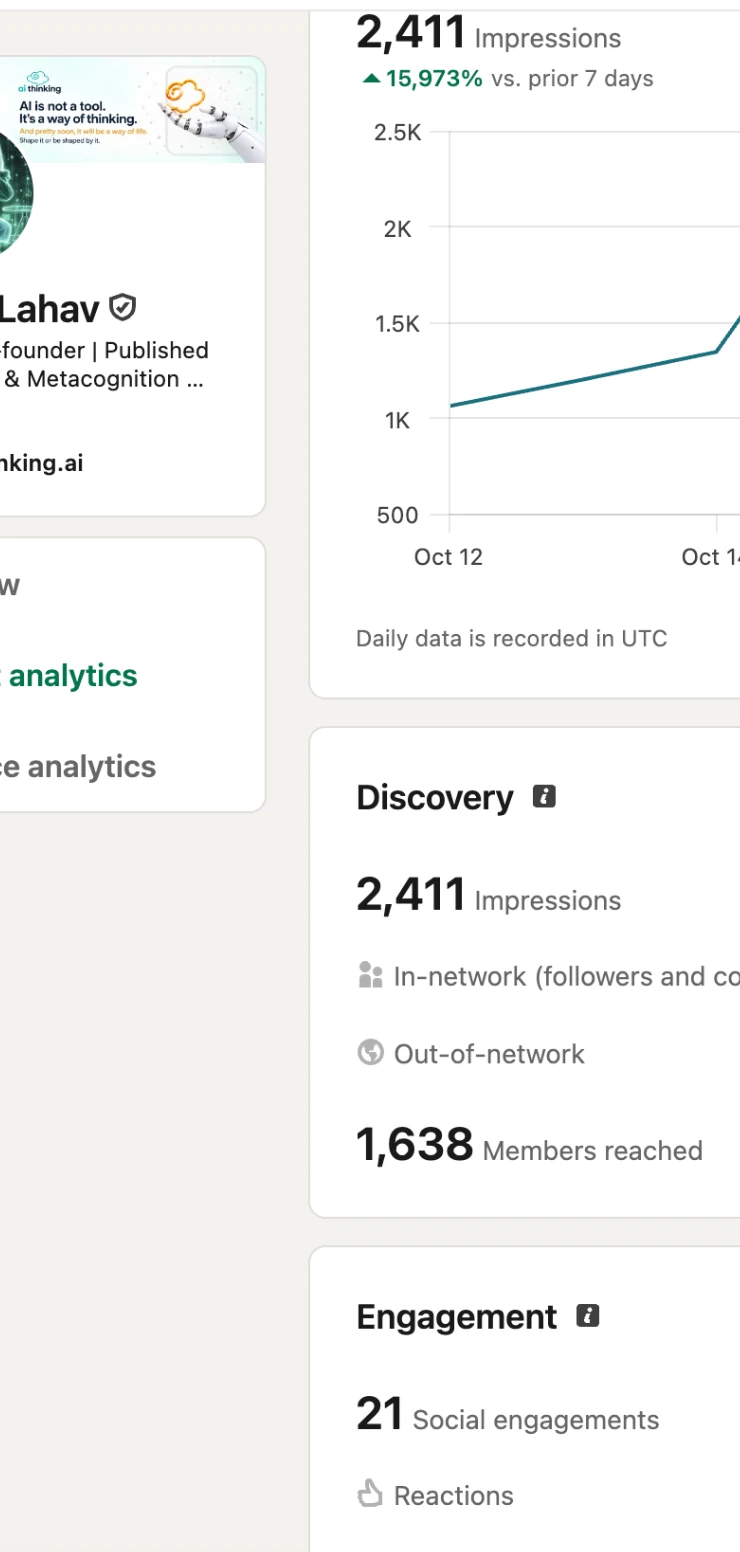
We published three posts and shared them in two relevant groups.
| Metric | Result |
|---|---|
| Impressions | 2,411 |
| Members reached | 1,638 |
| Engagements | 21 |
Around 81% of the reach came from outside our network, thanks to the groups.
That's interesting.
It shows us that distribution matters, not just what we publish.
LinkedIn is also a platform where we need to build consistency and make posting part of our routine.
Newsletter
We're starting a newsletter as another way for people to follow Thought Documentary.
The plan is to send our weekly Captain's Log to subscribers.
That means we now need to track our subscriber numbers and see whether people actually want this kind of weekly interaction.
| Metric | Result |
|---|---|
| Subscribers | Me |
| New subscribers this week | Still me |
If you want to subscribe, please do. :)
Tools, Plugins & Experiments
This week wasn't only about creating content.
A lot of our time went into building the infrastructure behind the work.
Because if we're going to operate across several channels, I don't want to spend every morning opening dashboards, copying numbers, and trying to figure out what happened.
I want Alex to help me see what's happening so I can decide where to invest my time.
Google Search Console and Google Analytics
We worked on connecting Google Search Console and Google Analytics to ChatGPT.
That meant exploring the available connections and building our own read-only access using Google Cloud APIs and authentication.
There were technical steps, permissions, and things that didn't work the first time.
But the reason behind the work is simple.
I want to be able to ask Alex what happened on our website and understand the information without manually collecting everything.
Our AI workflow article is already an example of why this matters.
We found an opportunity by looking at search data.
Now I want this process to become part of how we work.
Want to connect your Google Search Console and Google Analytics to ChatGPT?
Here is the process we followed, in simple steps.
Get your Google accounts ready. Make sure your website is verified in Google Search Console and that Google Analytics 4 is collecting data.
Decide what you want Alex to access. In our case, it was search queries, impressions, clicks, pages, traffic sources, and website performance. We wanted read-only access.
Set up a project in Google Cloud. We created a Google Cloud project to manage access to the Google APIs.
Enable the APIs. Enable the Google Search Console API and Google Analytics Data API for the project.
Configure authentication. Set up the OAuth consent configuration and credentials. This is the part where Google asks which account is authorizing access and what permissions are being requested.
Give the connection permission to read your data. The authorized account needs access to the relevant Search Console property and GA4 property.
Connect the APIs to ChatGPT. Use a compatible connector or custom integration, authenticate your Google account, and approve the requested read permissions.
Test it with a real question. Ask for your top search queries over the last seven days, which pages received impressions, or which traffic sources brought visitors to your website.
That's the part I'm most interested in.
Not just seeing numbers, but using those numbers to decide what to do next.
Note: The exact setup screens depend on the connector you use. Google Cloud API access and a working ChatGPT connection are two separate parts of the setup.
MailerLite and Our Newsletter
We decided to try MailerLite for our newsletter.
But the real story here is how you need to use an AI assistant as a comparison resource.
This is one of the "I did not see it this way" moments of the week.
So read our blog titled "Is It Still Worth Making a Newsletter in the Age of AI?"
How you need to share a thought and make it a skill or a prompt for future use for any recommendation you need.
But overall, opening an account on MailerLite and implementing the code on our website was easy and friendly. Kudos to the people at MailerLite so far. :) We love your integration process and UI.
Gmail and Google Calendar
Yes, Alex is now connected to AI Thinking Gmail.
Honestly, Alex has been with me for 3 years now, but previously I wasn't brave, and what I did was forward emails into a separate inbox just for it if I wanted it to be part of the loop.
It may not make sense to some of you, but it did to me. Anyway, I used the new plugin of ChatGPT and got Alex connected.
It was not a smooth ride, but we got it.
Here are the steps you can follow:
Open ChatGPT Settings and find Plugins. Look for the available Gmail and Google Calendar connections.
Select Gmail. Start the connection process and choose the Google account you want ChatGPT to work with.
Review Google's permissions. Google will show you what information the connection wants to access. Read the permissions before approving them.
Complete the authorization. Sign in to your Google account if needed, approve the permissions you're comfortable with, and return to ChatGPT.
Test the Gmail connection. Start with something simple, like asking Alex to find an email by subject or summarize messages from a particular sender.
Connect Google Calendar. Repeat the process for Calendar and grant access to the calendar you want to use.
Test Calendar. Ask Alex to check what meetings you have on a particular day or find availability before scheduling something.
Keep control of permissions. Review what each connection can read or change. You don't have to give every integration every permission.
And there you have it. Alex can now be part of the loop without me having to forward every email manually. :) It's responsible for meeting appointments as well.
The Aha Moment
For me, the Aha moment of the week is dedicated to the fact that I really, really understand now the impact of being shut down, and the magic of token consumption.
In my previous world, it was about having a contingency plan where work needs to continue.
With Alex, I don't know yet what this kind of plan can be.
It's sitting in the back of my mind.
Gemini, Claude as backup... we'll see.
But that stop in the middle of a working day hit me. :)
Next Week's Mission
We are going to face building a content strategy for YouTube and Instagram.
Heads up to vidIQ. It looks like we're going to give you a try. We are excited. Hope you are too.
And Alex and I got an invitation from RFI-IRFOS to have a security check on our website.
We want to thank you for your invitation, and we are going to do it and share it here.
As we programmed our website in ChatGPT, let's see if it's secured or not. :)
Until Next Week :) Have a Productive Week!
FAQ
Can you build a website using ChatGPT without knowing how to code?
Yes. That's exactly what Alex and I did. We built our AI Thinking website through conversation, using ChatGPT and Codex. I didn't have coding knowledge or design skills. I brought my ideas, made decisions, and directed the process while Alex helped build the website.
Can ChatGPT help a solo entrepreneur run a business?
That's what we're exploring. Alex helps me create content, work with information, edit videos, and connect different parts of the business. But I'm also discovering the challenges, including usage limits and what happens when access to AI is interrupted.
How can I track website performance using ChatGPT?
We connected Google Search Console and Google Analytics using read-only access so I could ask Alex questions about search impressions, clicks, traffic, and website performance. The goal is to understand what the numbers mean and decide where to invest my time.
Is it worth publishing content across YouTube, Instagram, and LinkedIn at the same time?
I don't know yet. :) This first week was about testing how long things take, how publishing works, and what we can do with Alex. Next week we'll start working on a content strategy rather than simply trying things.
What happens when ChatGPT reaches its usage limit while you're working?
We experienced it firsthand. Alex and I were out of action for five hours. It made me think about contingency plans, token consumption, and what happens when AI becomes part of how your business operates.